Get Still

Everything kept. One thing chosen.

Get it out of your head. Give today to one thing.

Still keeps everything you've committed to, so each day you can choose one thing and give it your time.

Apple silicon and Intel.

Still for iPhone is coming soon.

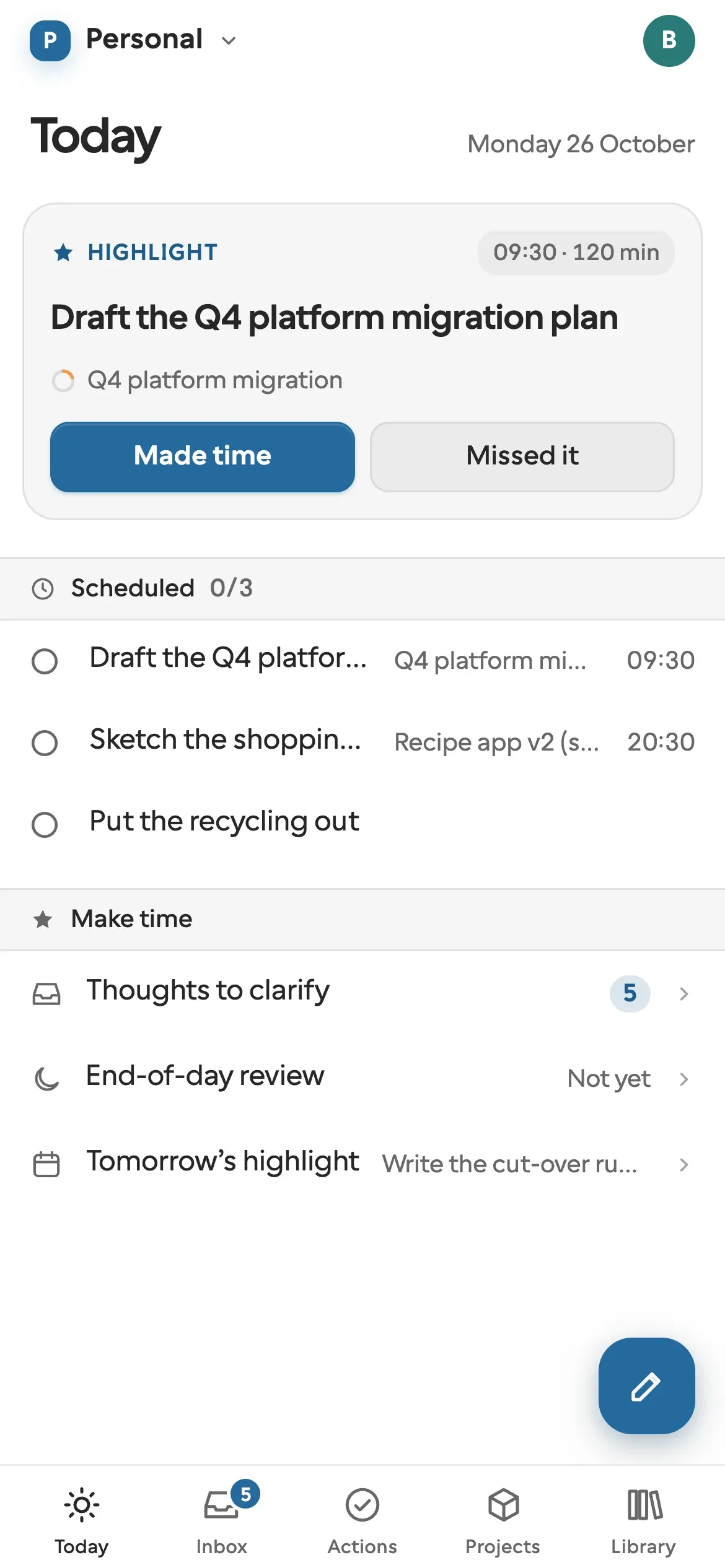
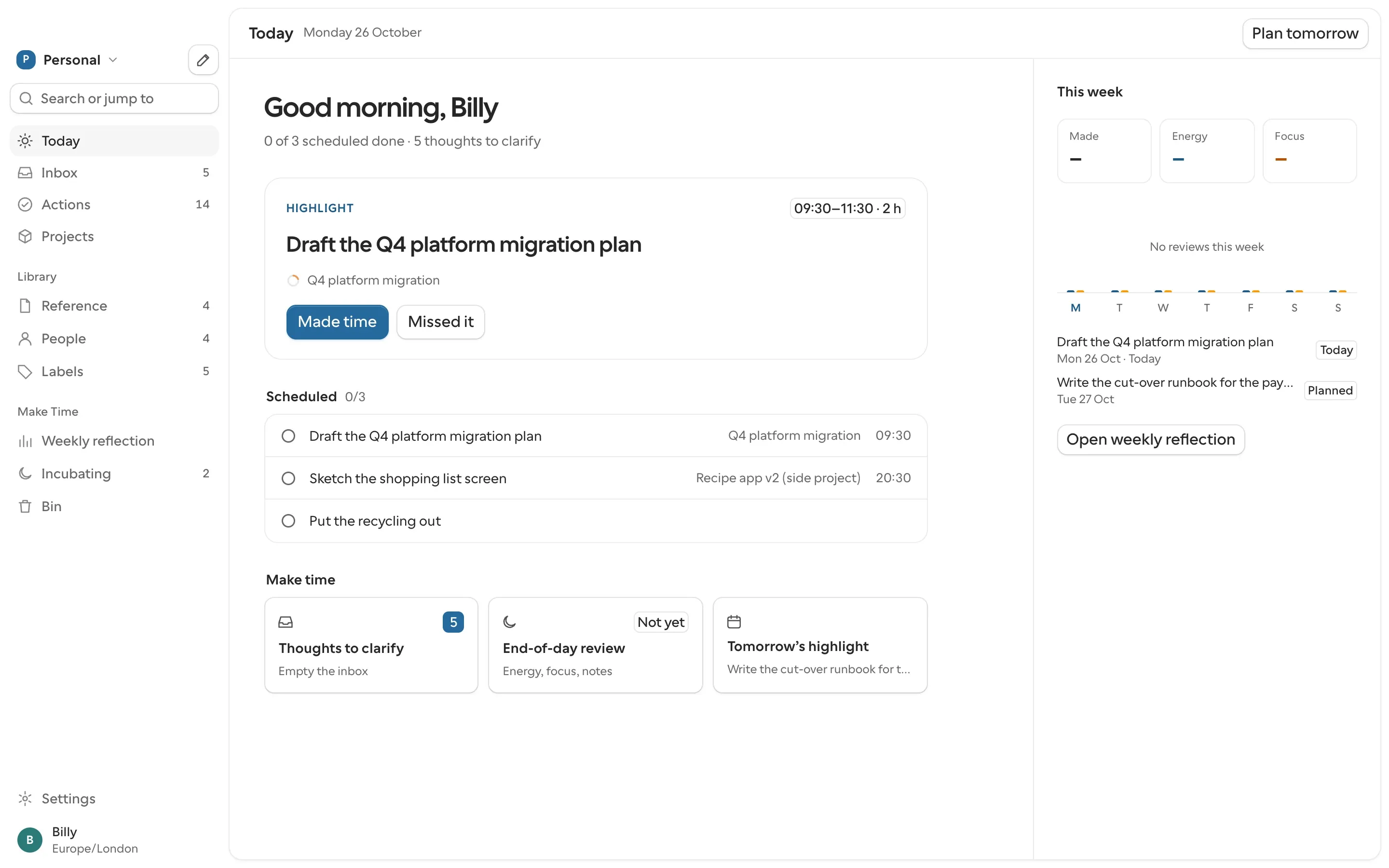
Still open on Today. The Highlight, drafting the platform migration plan, sits at the top with time set aside from 09:30 to 11:30. The day's other actions sit quietly below it.

Mind like water

Getting Things Done has a name for where its system is meant to take you: mind like water. David Allen borrows it from martial arts. Throw a pebble into still water and it makes a small splash. Throw a rock and it makes a big one. Either way, the water answers in proportion, then goes still again.

That's where the name comes from: Still is the still water. Once everything you've committed to is written down and sorted, nothing is left nagging at you.

The logo is the same idea. The ring is everything kept, and the bead is the one thing you chose, resting at the bottom.

The bit of Getting Things Done that stuck with me wasn't the lists. It was mind like water. Get everything out of your head and into something you trust, and your head goes quiet. Whatever turns up next gets the attention it deserves and no more. I wanted that, so I called the app Still. Make Time gave me the rest: once it's quiet, pick one thing and give it your day.
Billy, who built Still

Two good books, each with a gap

Getting Things Done stops at the list

David Allen gives you a list you can trust, then leaves you to pick from it by judgement. Nothing says what today is for. The lists grow, the weekly review slips, and opening the system starts to feel like a debt.

Make Time has nowhere to put the rest

Jake Knapp and John Zeratsky ask you to choose one Highlight a day and protect it. They say plainly it won't be the only thing you do, but there's nowhere to keep the other two hundred things. So they go back in your head.

Still puts the two together. The list is safe enough to ignore for a day, and the Highlight is the one thing on it that gets the day.

How a day goes

  1. In passing

    Capture

    Something occurs to you, so it goes in the Inbox: a title, and notes if you want them. It takes a few seconds, from any screen.

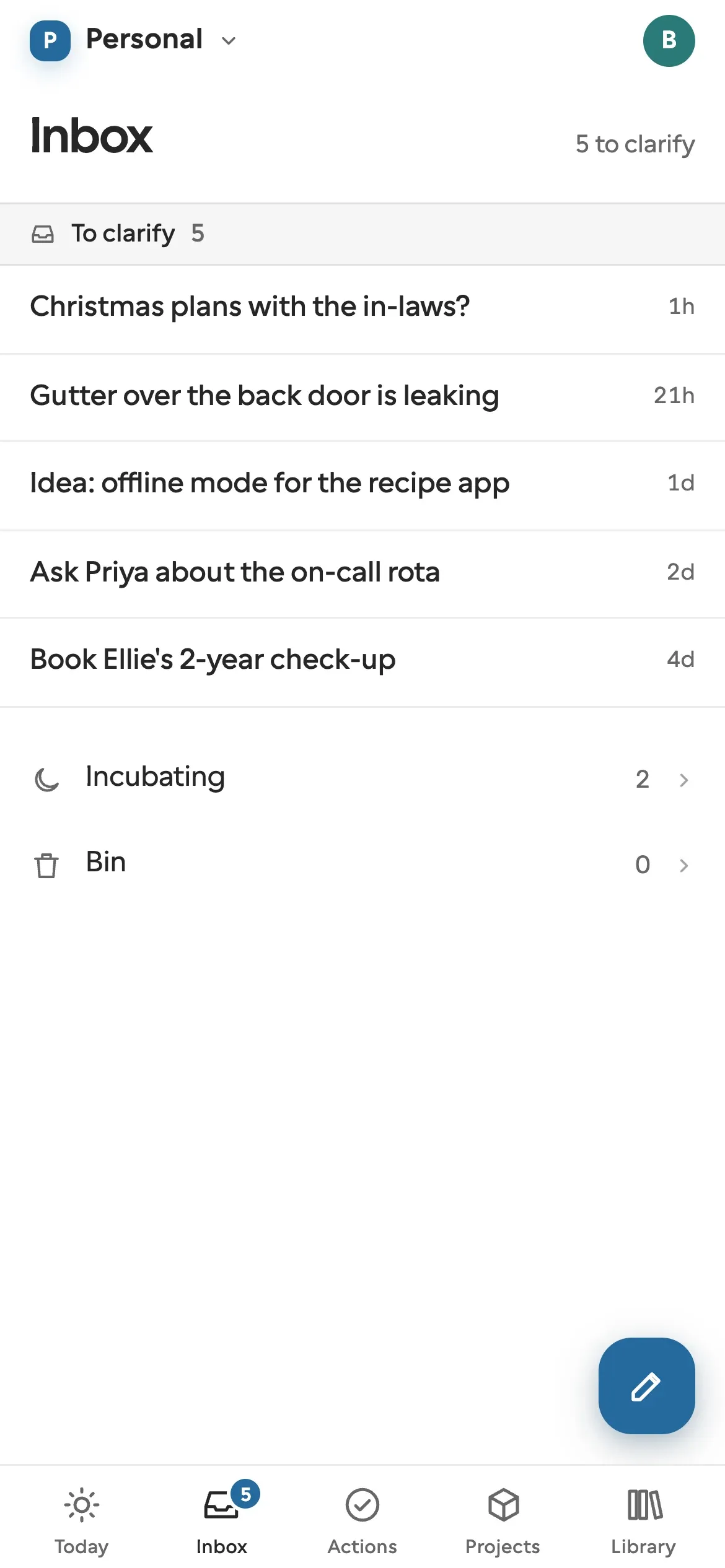
    Still's Inbox on a phone, with five thoughts captured this week, from booking a check-up to a leaking gutter.
  2. When you sit down

    Clarify

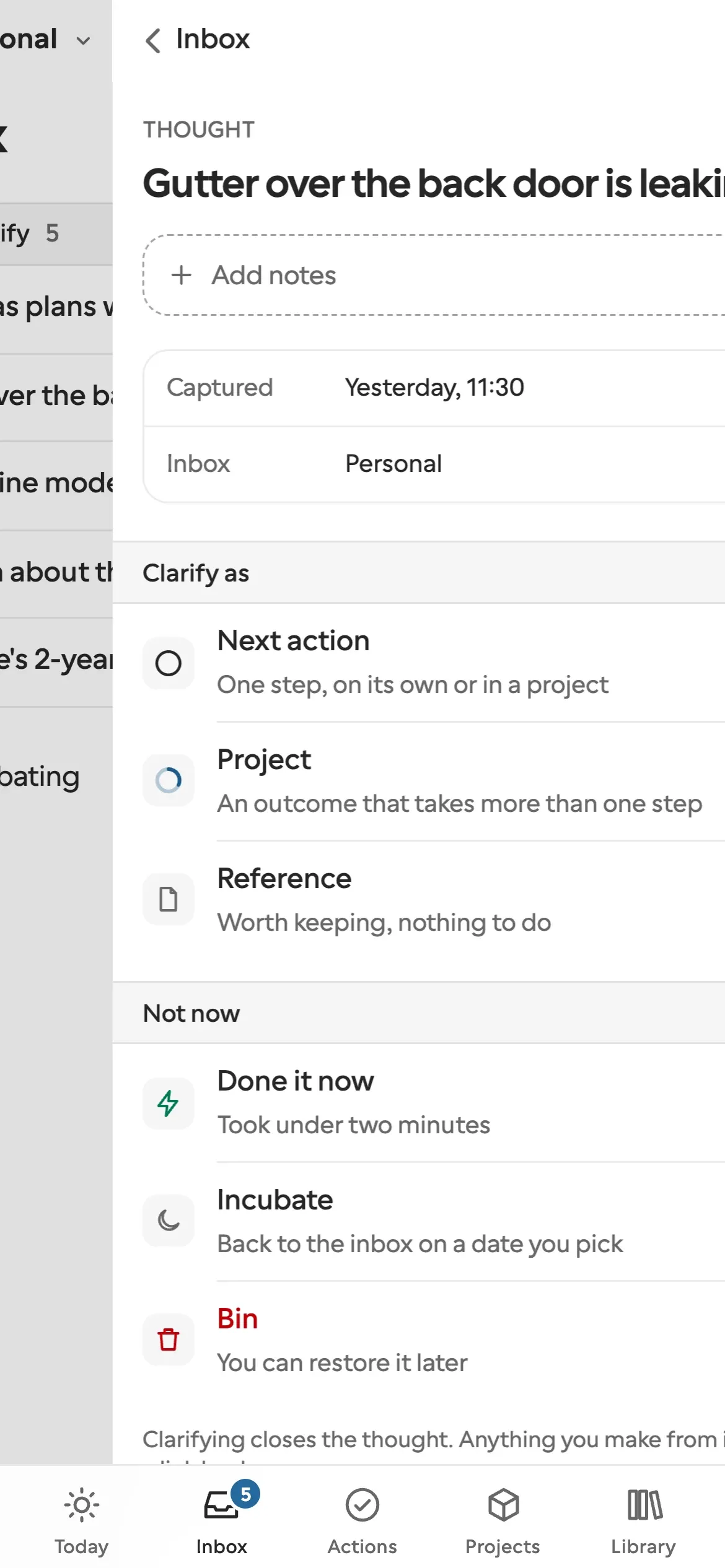
    Go through the Inbox one thought at a time and decide what each one is. It might be next actions, a project or reference. It might be done already, or not worth keeping. Or it can wait until a date you pick, when it comes back to the Inbox.

    Clarifying a thought in Still on a phone, with the choices of what it becomes.
  3. Each morning

    Choose one Highlight

    Today opens on the one thing you chose, with time set aside for it. Pick it from your lists or write a new one. Everything else stays out of the way until you go looking.

    Still's Today screen on a phone, opening on the day's Highlight and its time block.
  4. Each evening

    Look back

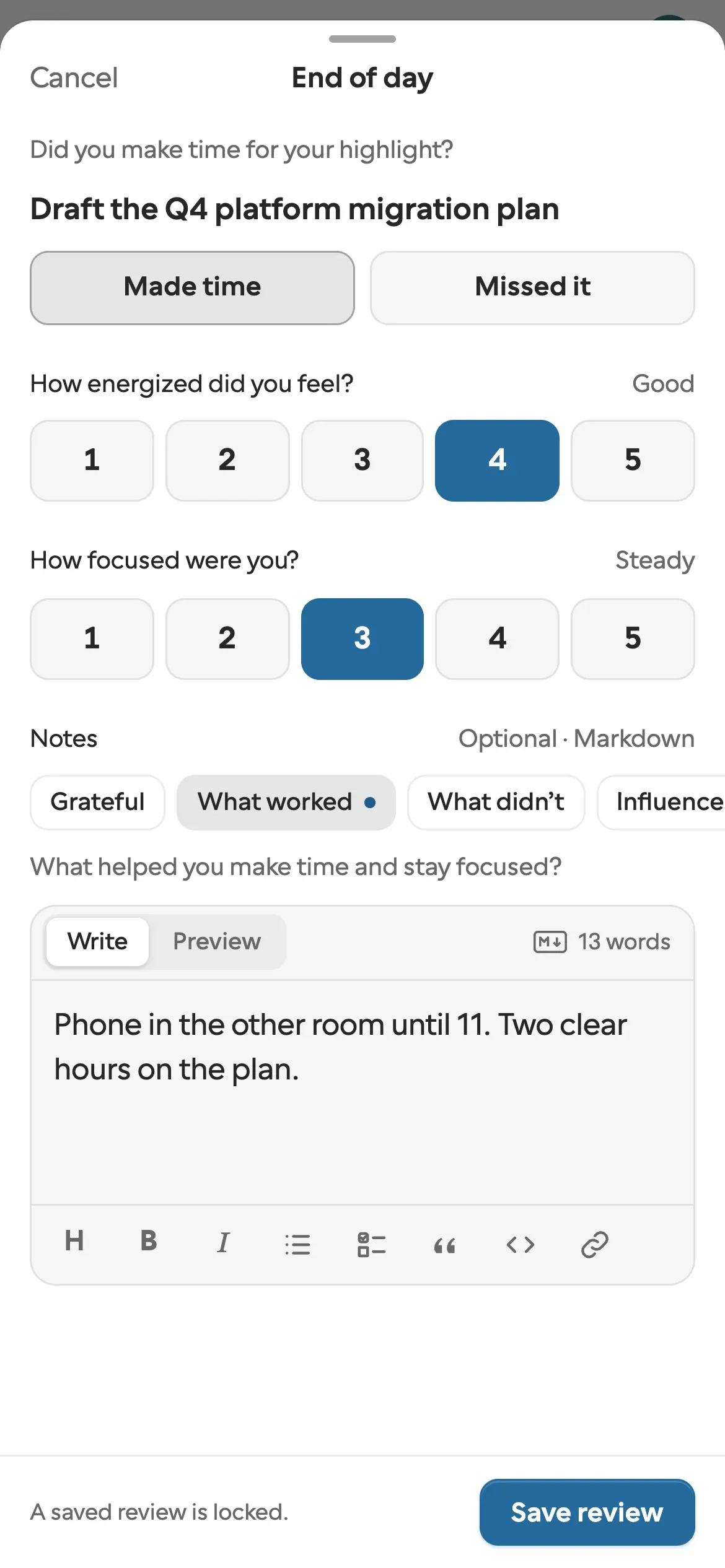
    Did you make time for it? How was your energy, and your focus? Tap your answers, add a line if you like, then choose tomorrow's Highlight. Over a week, the pattern shows.

    Still's end-of-day review on a phone: whether the Highlight happened, energy, focus and a short note.

The system behind it

Everything you clarify lands in the lists from Getting Things Done, under the names the book uses.

Inbox
Everything you've captured and not yet decided about. Empty it once a day.
Next actions
The next step on each thing you've committed to, dated if it has a date.
Waiting for
What you've handed to someone, kept under their name.
Incubating
Thoughts put away until a day you choose. On that day they come back to the Inbox.
Projects
Anything that takes more than one step, with what done looks like and the actions that get it there. Active, someday or done.
Library
Reference notes and links, the people you work with, labels.
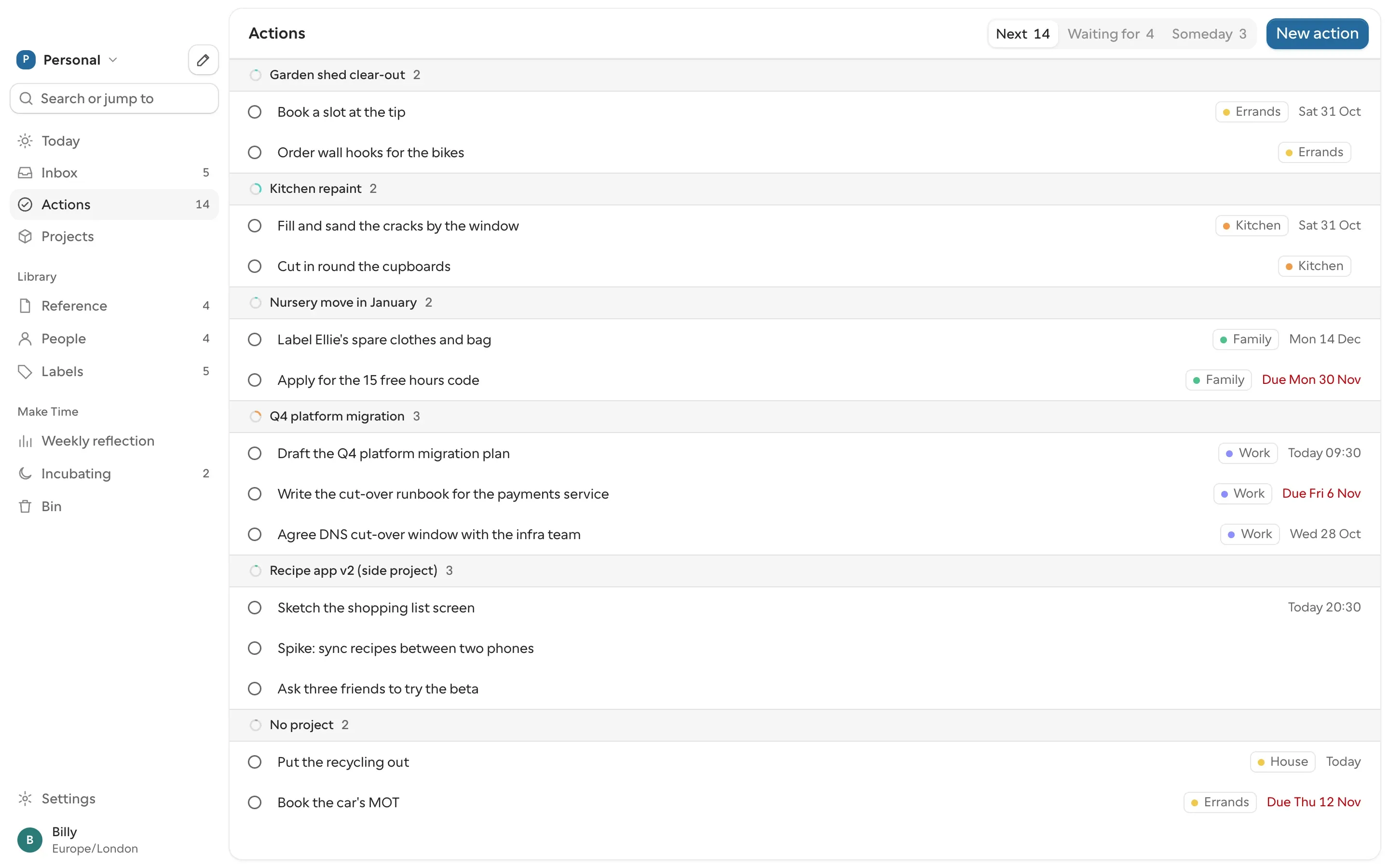
Still's Actions on a Mac: next actions grouped by project, from the kitchen repaint to the platform migration, each with its label and date. Tabs above switch to Waiting for and Someday.

What Still isn't

Get Still

One download, for Apple silicon and Intel Macs.

Download for Mac

Opening it the first time

Still isn't signed by Apple yet, so macOS stops it the first time you open it. On macOS 15 (Sequoia) and later:

  1. Open Still.dmg and drag Still into Applications.
  2. Open Still from Applications. macOS says it can't verify the app. Click Done, not Move to Bin.
  3. Open System Settings › Privacy & Security, scroll to Security, and click Open Anyway next to "Still was blocked". Confirm with your password or Touch ID, then click Open Anyway again.

macOS remembers the choice after that.

In your browser

The same app, with nothing to install. Sign in with Apple or Google.

Open still-app.bemby.dev

iPhone

Still for iPhone is coming soon.